The team is now working on the WordPress Interactivity API. This unblocks the same UX Frontity framework enabled but directly in WordPress Core, fully compatible with the new Site Editor.
I installed the following themes to try Frontity thoroughly.
@frontity/twentytwenty-theme
@frontity/mars-theme
When I post on the site, they are published directly. There is no problem with this. However, if I update a published post, that content title appears on the home page for a few minutes, but when I try to visit it, it gives a 404 error.
Does it happen with any published post after updating it?
By ‘updating it’, you mean changing the slug?
David9
I tried using the URL of your site’s API and everything seems to be working.
hsbas10
Hi David.
Yes, everything works well except one case.
When we update only the content of the post we published, that post continues to appear on the homepage in Frontity, but when we click it, we encounter a 404 error. After a few minutes, the 404 error goes away, we can see the latest version of the post.
We do not change the slug, we only update in content.
David11
I’m not sure but might it be related to the codesanbox instance? I mean, does the same happen if you use a local Frontity project (npx frontity create)?
hsbas12
Before deciding whether to migrate our project to Frontity, I wanted to install a demo and try it out. I haven’t created a project from scratch and examined it in detail yet.
Hovewer, after installing and trying it from scratch, I will inform you if I encounter this problem again.
Thanks for your interest.
David13
Thank you @hsbas
Just let us know if the problem persists. We’ll try to solve it asap in that case.
2 Likes
hsbas15
Hi there,
Your new documentation prepared very well, congratulations and thank you.
I created the project just like on this page. All I did was use the command frontity create and then replace state.source.url with my site. Then I ran the server with the frontity dev command.
The site opened at localhost:3000 looks normal. But when I go into an article and refresh the page, I get a 404 error. If I don’t refresh the page, it’s okay. However, when I want to go back and open the page again I get a 404 error. This problem happens only on my WordPress address. What could the problem be about and how can I solve it?
juanma17
Hi @hsbas,
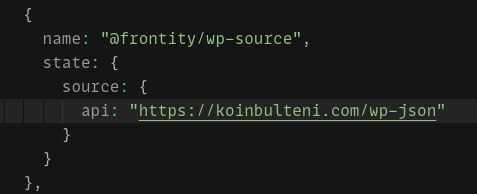
I’ve used the Frontity CodeSandbox boilerplate to create a Frontity project where i just have changed the state.source.api setting to point to https://koinbulteni.com/wp-json
I guess the error must come from the .html generated for each url.
Is this final .html added for a specific reason from your WordPress? You don’t really need that extension at the end of the URL and I think SEO would even be better without it
1 Like
juanma19
@cristianbote It seems URL’s defined with a specific extension (.html in this case) doesn’t load properly from SSR rendering
Can you check this to decide if this is a bug that need to be addressed or if this is something we should explain in our documentation
1 Like
hsbas21
Hİ @juanma,
Thank you for your interest and detailed explanation.
We do not have a special reason to use the .html extension, but the link structure has been like this for 4 years. It would not be healthy to update the link structure as “post name” as stated in the document, because we have more than 20,000 articles. So the only thing we can do is remove the “.html” at the end of the link.
But you will appreciate that making such a link structure change directly on an authoritative site like this can be risky for Google indexes.
I will be excitedly waiting for the problem to be solved.
Thanks!
cristianbote28
Hi @hsbas,
There’s been some more progress on the issue and the fix it’s fairly straight. Would you be open to contribute with the fix yourself?
We would love and welcome any contribution! We have a fairly easy to start contribution guide. There’s nothing else like fixing an issue on an open-source software.
Let me know if there’s more that I can do in here.
Have a great one!
2 Likes
luisherranz29
@hsbas I’ve just realized that you can also do this in a package, modifying the handlers in the init function:
Could you please try it out and let us know if it works?
hsbas30
Hi Luis,
I tried this in mars-theme index.js file. It didn’t work. I also tried in console but nothing changed. I can reach the same post multiple times with different browser tabs but when I press refresh button, it gives me 404 error.
Did you tried this action? Maybe I’m missing something.