The team is now working on the WordPress Interactivity API. This unblocks the same UX Frontity framework enabled but directly in WordPress Core, fully compatible with the new Site Editor.
I have a CDN service from imghaste, a service worker based CDN. I have added their js file and imported it in the index.js but I’m getting the following error
ReferenceError: self is not defined
    at eval (webpack-internal:///./packages/forgotten-developer/src/image-service.ih.js:1:1)
    at Object../packages/forgotten-developer/src/image-service.ih.js (C:\dev\forgotten-developer\build\server.js:5020:1)
    at __webpack_require__ (C:\dev\forgotten-developer\build\server.js:27:30)
    at eval (webpack-internal:///./packages/forgotten-developer/src/index.js:2:75)
    at Module../packages/forgotten-developer/src/index.js (C:\dev\forgotten-developer\build\server.js:5032:1)
    at __webpack_require__ (C:\dev\forgotten-developer\build\server.js:27:30)
    at eval (webpack-internal:///./build/bundling/entry-points/server.ts:3:87)
    at Module../build/bundling/entry-points/server.ts (C:\dev\forgotten-developer\build\server.js:139:1)
    at __webpack_require__ (C:\dev\forgotten-developer\build\server.js:27:30)
    at C:\dev\forgotten-developer\build\server.js:104:18
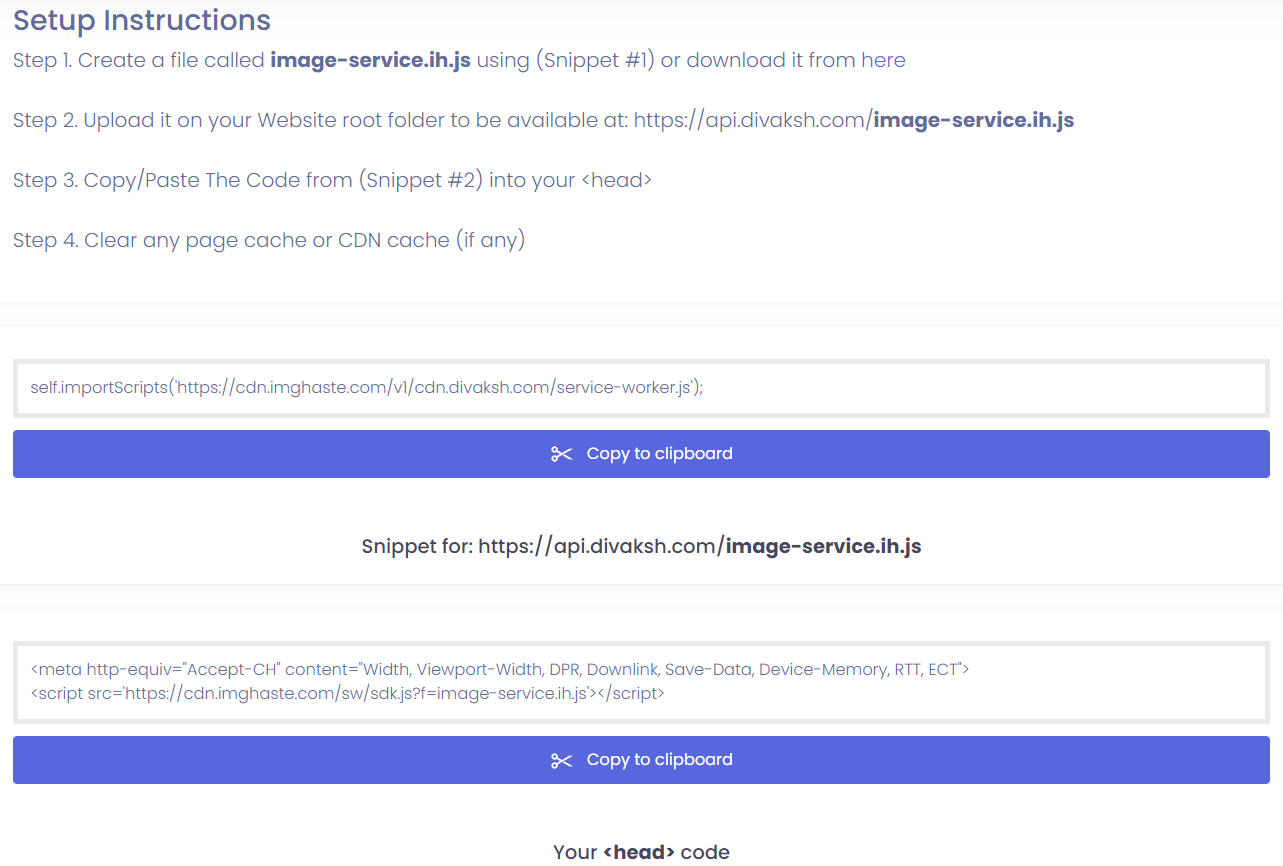
Content of the image-service.ih.js file is self.importScripts('https://cdn.imghaste.com/v1/cdn.divaksh.com/service-worker.js');
Divaksh2
Expert guidance please!! Above CDN service worker deliver the right images based on the viewports.
Detailing the info suggested here when having issues will help the community to provide the best possible help as quickly and as efficiently as possible.
1 Like
Divaksh4
I’m so sorry for this, I’ll take of this from now onwards. Here we go:
✓ Description of your issue Service worker based CDN are not working with Frontity
✓ Specific errors you’re getting in the terminal
SERVER STARTED – Listening @ http://localhost:3000
- mode: development
- target: module
- public-path: /static/
webpack built client e82bda0f945f9d9267da in 9927ms
i 「wdm」: Child client:
                   Asset      Size      Chunks             Chunk Names
    divakshcom.module.js  8.71 MiB  divakshcom  [emitted]  divakshcom
     + 1 hidden asset
Child server:
        Asset      Size  Chunks             Chunk Names
    server.js  11.1 MiB    main  [emitted]  main
i 「wdm」: Compiled successfully.
ReferenceError: self is not defined
    at eval (webpack-internal:///./packages/forgotten-developer/src/image-service.ih.js:1:1)
    at Object../packages/forgotten-developer/src/image-service.ih.js (C:\dev\forgotten-developer\build\server.js:5044:1)
    at __webpack_require__ (C:\dev\forgotten-developer\build\server.js:27:30)
    at eval (webpack-internal:///./packages/forgotten-developer/src/index.js:2:75)
    at Module../packages/forgotten-developer/src/index.js (C:\dev\forgotten-developer\build\server.js:5056:1)
    at __webpack_require__ (C:\dev\forgotten-developer\build\server.js:27:30)
    at eval (webpack-internal:///./build/bundling/entry-points/server.ts:3:87)
    at Module../build/bundling/entry-points/server.ts (C:\dev\forgotten-developer\build\server.js:139:1)
    at __webpack_require__ (C:\dev\forgotten-developer\build\server.js:27:30)
    at C:\dev\forgotten-developer\build\server.js:104:18
✓ Specific errors you’re getting in the browser’s console - Page is not getting opened
✓ A repository or codesandbox with the code of your project - https://github.com/Divaksh/forgotten-developer/tree/dev
I see that this CDN that you’re using requires that the file is hosted at the root of your server, so you have 2 options:
Run frontity with (yes, this is just a slash at the end):
npx frontity dev --public--path /
Keep in mind that this will affect how all your other static files are served. When you build your app for production you will likewise have to run npx frontity bulid --public--path /.
You can try to see if imghaste allows you to customize the path from Step 2. of the setup instructions so that their SDK will look for https://api.divaksh.com/static/image-service.ih.js (note the added “static”
Hope this helps!
2 Likes
Divaksh12
Interesting!! Seems, it has nothing to do with Frontity if they need image-service.ih.js to get delivered from https://api.divaksh.com because it is a different server where my actual WordPress is hosted. Main domain is divaksh.com that is hosted on Vercel. Let me experiment and discuss it further with the CDN provider. Will keep this post updated.
1 Like
luisherranz14
Yes, for security reasons you have to serve the service worker from your domain (the Frontity one).
I think you are trying to add the Service Worker code to the Frontity app. That’s not how it works. Service Workers are separate files. You need to create a separate image-service.ih.js file and serve it as it is.
You can serve files in Vercel by using this vercel.json instead of @frontity/now:
But if you do this, you have to run npx frontity build before running npx vercel (our @frontity/now package runs the Frontity build in the cloud).
2 Likes
Divaksh15
Earlier before creating this post I also tried creating separate image-service.ih.js, but divaksh.com/image-service.ih.js wasn’t accessible, it was throwing internal server error. So, the vercel.json caused it? I’ll do it again and this time with updated vercel.json as suggested and update here on weekend.
Divaksh16
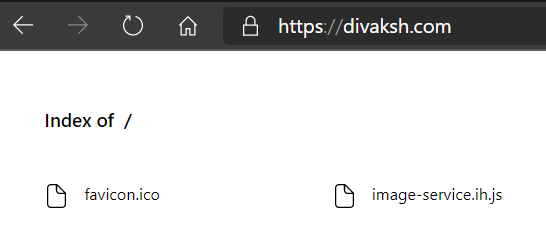
Thank you, man, it worked. How to use GitHub Vercel automatic deployment pipeline with it? Earlier when I used to push changes, automatic deployment used to work fine but now, now it opens the directory listing page, like this and for the same code manual deployment with npx vercel --prod works fine.

 Here we go: