The team is now working on the WordPress Interactivity API. This unblocks the same UX Frontity framework enabled but directly in WordPress Core, fully compatible with the new Site Editor.
My original question was regarding setting the state source dynamically. I have since updated to use match (multiple domains).
Internal Vs External links when using match
ORIGINAL Question :
Hi
Wondering if there’s a way to set @frontity/wp-source url dynamically based on state or get the router to add “/fr” (language) to the url if a language is set.
Trying to use Heroku (single domain)
i.e. I’m setting up a language toggle and would like to fetch from https://my-url (english) or https://my-url/fr (french)
 packages: [
      {
        name: "@frontity/wp-source",
        state: {
          source: {
            url: "https://my-url", // add fr to this as needed from theme state
            homepage: "/home",
          },
        },
      },
I see I can do something like this using match based on the domain / url
Was thinking I might be able to do something with match but not sure how I can add setup the router to use /fr/my-page when I want to use my french rest endpoint
Johan2
Multilingual Frontity sites are not really supported and I haven’t seen a working solution yet.
I did some testing (see: Multilanguage with WPML - #2 by Johan), including changing the URL or parameters (most plugins support ?lang=xx) but without any result.
The only (sort of) working solution I found is to make 2 different sites within a single Frontity setup which changes based on the URL, however switching languages will not work properly with this.
tim.arney3
Thanks Johan
I’ll probably end up going down the multiple domains + match setup
tim.arney4
Hmm
When I use match
match: [".*https?:\/\/localhost:4000"],
my urls end up linking to my “remote” rest api (the one I set for source) - this breaks the links as they link out - to the actual WP website.
Thee only problem is that they don’t have a public repo. From what I can gather, it looks like they are using embedded mode, since the /wp-json is accessible directly on the main domain:
I also can’t see a namespace for any multi language plugins… Maybe they are doing translations on the react side, with some kind of npm package. Because even when I have the language set to spanish, the rest api language is english.
if (match && !match.some((regexp) => new RegExp(regexp).test(link))) {
    return link;
}
Summary so far:
With no match set - my sidebar links load the correct pages and content i.e. internal links — but of course this doesn’t work for multilingual
With match set - my sidebar links end up as external links
I opened up the repo I’m playing around with
tim.arney8
@David
I was looking at
And wondering if I’ve found a bug or misconfigured something
When I try to use match all links end up being external
If I comment out this code the pages load correctly
if (match && !match.some((regexp) => new RegExp(regexp).test(link))) {
    return link;
}
Currently testing using match + localhost
tim.arney9
Thinking this comes down to hosting the front-end on a domain that doesn’t match the WP REST endpoints

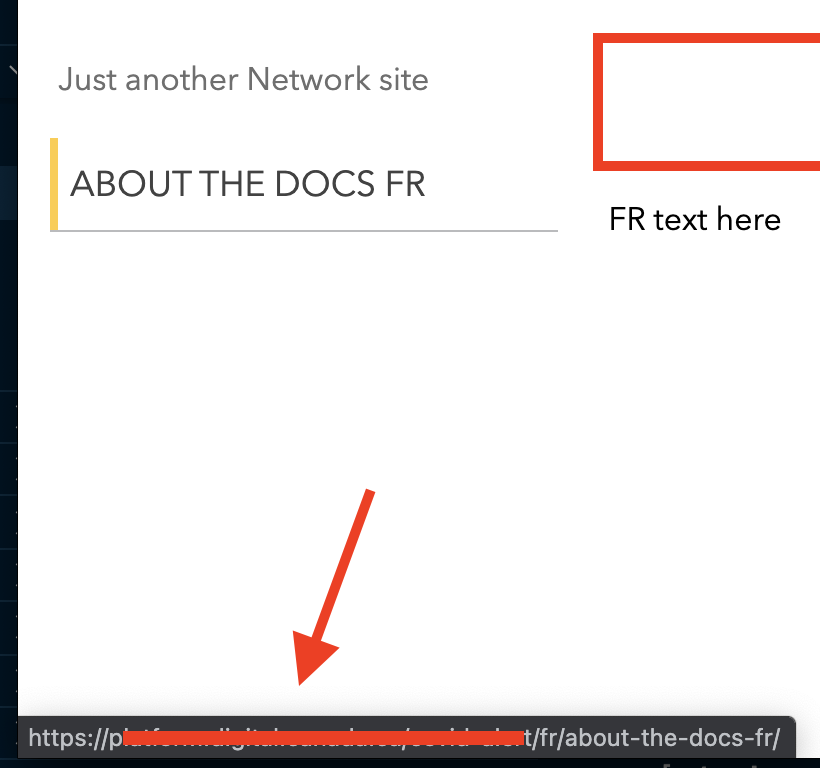
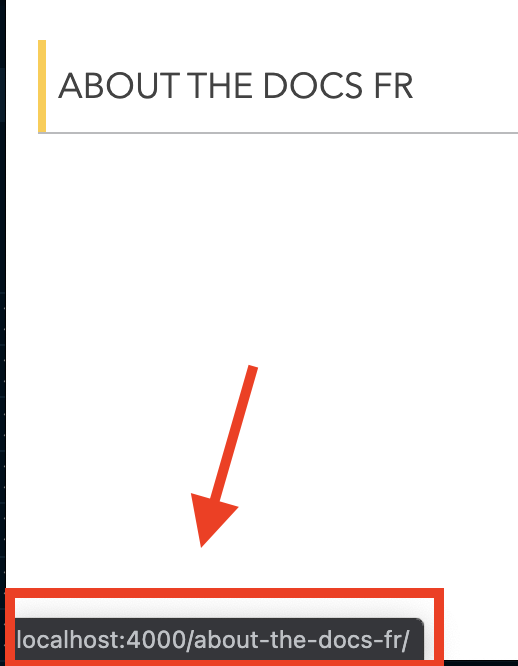

 — but of course this doesn’t work for multilingual