The team is now working on the WordPress Interactivity API. This unblocks the same UX Frontity framework enabled but directly in WordPress Core, fully compatible with the new Site Editor.
   {
      "name": "@frontity/mars-theme",
      "state": {
        "theme": {
          "menu": [
            [
              "Home",
              "/"
            ],
            [
              "Nature", // This will be replaced by "Portfolio"
              "/category/nature/"
            ],
            [
              "Travel", // This will be replaced by "Services"
              "/category/travel/"
            ],
            [
              "Blog",
              "/blog/"
            ],
            [
              "About Us", // This will be replaced by "Contact"
              "/about-us/"
            ]
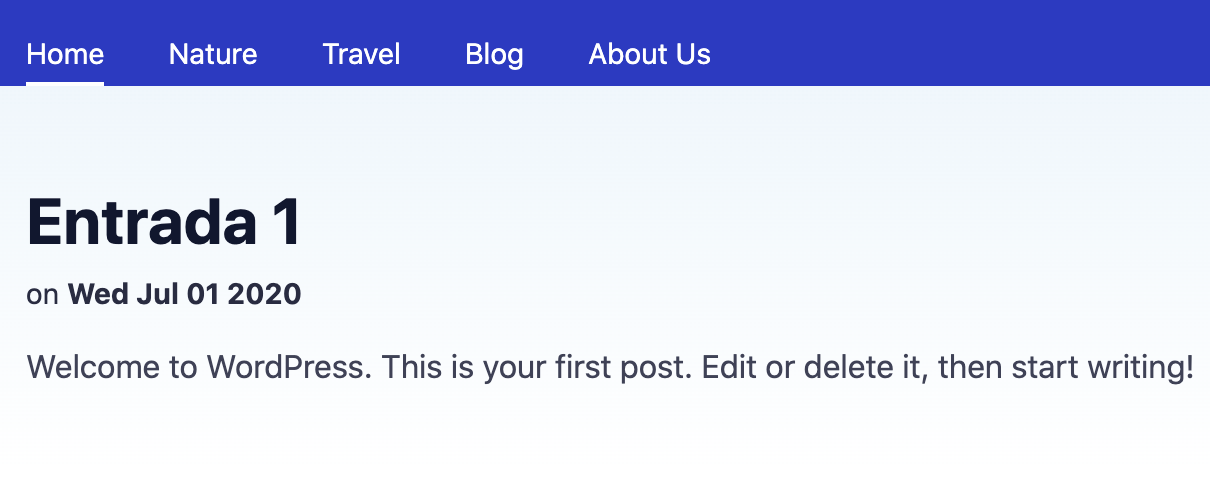
So I need the Home to be the root or ("/") and have my blog showing the entries (“Entry 1”).
Thanks for the support!
mymakarim2
in the menu array, you can change nature to porfolio and the URL to that from “/cateogry/nature” to “/category/portfolio”. The same for other categories.
For the homepage to show your static page as your WordPress site does, you can specify “/home” or any other static page it is.
Let me know if my answer solved or did not solve your problem
dominique3
It would be great if there’d be a way to fill the menu items through the WordPress admin, instead of manually changing it through code. Looking from web agency point of view, this should something that ‘the client’ needs to be able to do.
2 Likes
mymakarim4
@luisherranz he has got a point!
jhoksansaid5
I did the proposed and now the page is loading and if I enter from the URL I get an “Internal Server Error” message:

 , I have a problem with the Menu, in the WordPress configuration I have: