The team is now working on the WordPress Interactivity API. This unblocks the same UX Frontity framework enabled but directly in WordPress Core, fully compatible with the new Site Editor.
We want to allow users to extend the Webpack configuration.
User Stories
As a Frontity developer
I want to customize the default Webpack configuration
so that I can use change the default configuration and add additional features
Possible solution
Use the frontity.config.js file where you can export a function that receives the current Webpack config object.
In Frotity, we have 3 different configs, one for the server, another for the es5 bundles and another for the es6 (“module”) bundles.
This function will be run 3 times, one for each target.
export const webpack = ({ config, mode, target }) => {
  // Change the publicPath.
  config.output.publicPath = "https://mycdn.com/";

  // Add support for a new file type.
  config.modules.rules.push({
    test: /\.ext$/,
    loader: "some-loader"
  });

  // Change devtool option for development mode.
  if (mode === "development") {
    config.devtool = "cheap-eval-source-map";
  }

  // Add an alias for the server.
  if (target === "server") {
    config.resolve.alias["some-package"] = "other-package";
  }

  // Add an external for the client (both es5 and module).
  if (target === "es5" || target === "module") {
    config.externals["some-package"] = "window.variable";
  }
};
We should allow for frontity.config.js files in:
The root folder of the project: People can add configuration specific to their project.
Inside packages: Package developers can add configuration specific to their packages.
I’ve read that Webpack has relative path aliasing baked in. My workflow breaks from the mars-theme example and nests files pretty deep and this is definitely something that could save a lot of headache.
I found to make Frontity support the module aliases, was by digging into the webpack-config of Frontity and making the change there (node_modules/@frontity/core/dist/src/config/webpack/resolve.js).
In order to automate this, I have added a postinstall-script to the package.json which manipulates this file.
I created a file “scripts/extend-frontity-aliases.js”
// Make alias work for frontity
const fs = require("fs");
const path = require("path");

const alias = `Components: "${path.resolve(
  __dirname,
  "../packages/mars-theme/src/components"
)}",`;

const utils = `Utils: "${path.resolve(
  __dirname,
  "../packages/mars-theme/src/utils"
)}",`;

const sampledata = `SampleData: "${path.resolve(__dirname, "../sampledata")}",`;

// Read the original file
const originalResolveJS = fs.readFileSync(
  "node_modules/@frontity/core/dist/src/config/webpack/resolve.js",
  "utf-8"
);

// Insert alias line
const lines = originalResolveJS.split("\n");
const index = lines.findIndex(line => line.includes("alias: {"));
lines.splice(index + 1, 0, alias);
lines.splice(index + 1, 0, utils);
lines.splice(index + 1, 0, sampledata);

// Write back modified file
fs.writeFileSync(
  "node_modules/@frontity/core/dist/src/config/webpack/resolve.js",
  lines.join("\n")
);
This is a pretty extreme hack and I would not recommend moving forward with these custom aliases until Frontity supports e.g. extending its webpack config.
1 Like
luisherranz12
Hey guys
Yes, we are going to support customizing Webpack via a frontity.config.js file, but that may still take a while.
Regarding alias, my personal recommendation is to avoid them. We’ve used them in the past but they generate more problems than benefits when you need to import the code in someplace different, like for example unit testing the code or publishing the code in npm.
I’m working on something that requires customizing the webpack config and adding a new entry point.
I’ve started looking into this, however the way frontity imports packages and settings is still not quite clear to me, is there a good place to start looking at? I have followed the code that merges the config and imports the main frontity.settings.ts but I’m missing some of the magic: i.e when and where frontity imports packages and its settings. Any FD or PR that you guys can point me to would be greatly appreciated.
luisherranz24
I can show you that in a call if you want, and then we can publish the video here so it is helpful for the Feature Discussion itself.
What do you think?
nicholasio.oliveira25
Sure, that would be great!
luisherranz26
Awesome. I’ll send you a message
luisherranz27
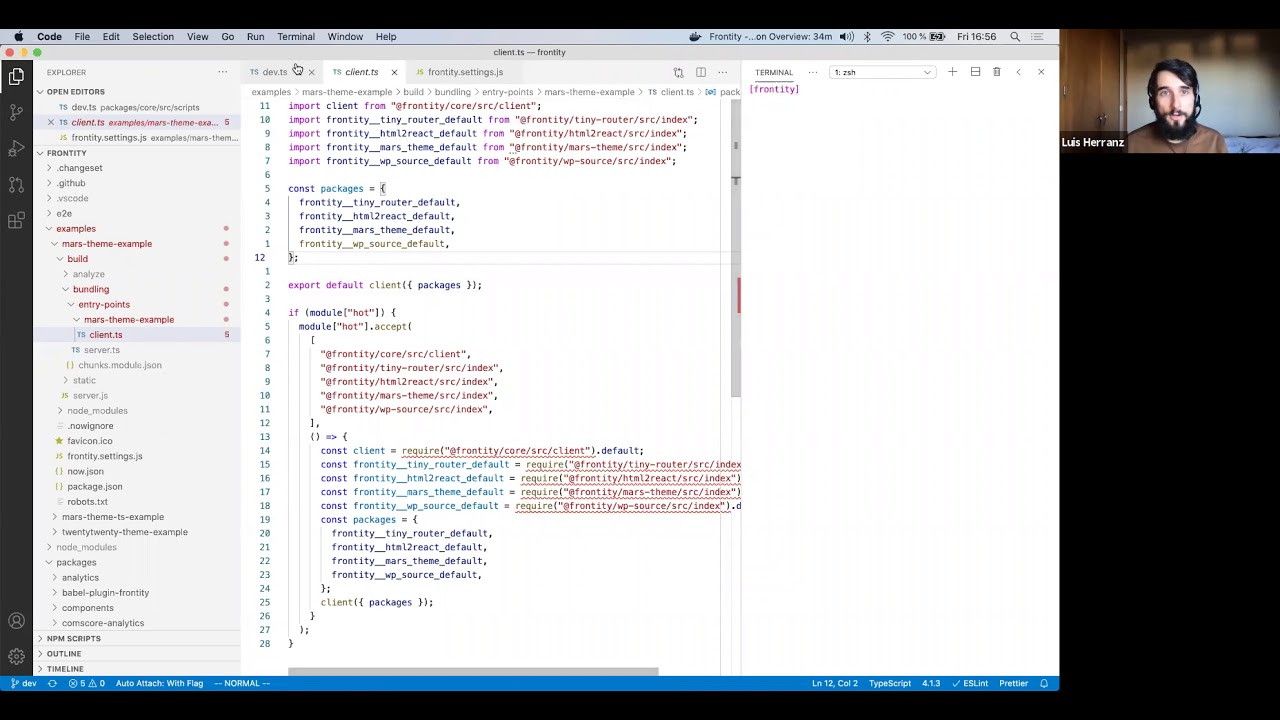
This is the meeting we had, with a summary of how the dev and build scripts generate the client and server bundles, and with an special emphasis on the Webpack configuration and how we thought packages should be able to extend that configuration.
It also has an explanation of a changes we plan to do: Instead of generating the all the client bundles for all the sites in a single Webpack run, use a single Webpack run for each site.
By the way, we also had a FD to customize babel configuration (Customize Babel configuration). But maybe we can close that for now, because configuring Babel will be possible using this:

 This is a pretty extreme hack and I would not recommend moving forward with these custom aliases until Frontity supports e.g. extending its webpack config.