The team is now working on the WordPress Interactivity API. This unblocks the same UX Frontity framework enabled but directly in WordPress Core, fully compatible with the new Site Editor.
I have a search component in my header that uses Algolia. As the user types, the relevant results show at the bottom of the search component. I am wondering if it is possible to create a page/url structure like:
The user is looking for history books, they type “histo” into the search box (so an incomplete search term, but that’s ok), and they click on a link at the bottom of the component that says “View all results for histo…”. I would like to have that link go to a results page where the URL is something l like /products/search=histo or something along those lines, so that whatever they typed into the search box becomes part of the URL for a results page.
Is this possible with Frontity? I’ve been looking around and haven’t found a solution, but if anyone has any input that would be appreciated.
I am able to get my url to update to /s=something when i click on my search button. what i am not clear on is how to have that go to a search results page. I’m not seeing the actions in the source code, so I am wondering if it has something to do with that?
Hopefully examining that code will give you the answer you need.
In particular look at the function handleSubmit in search-form.js which calls actions.router.set(), and the main component in search-results.js with gets the data with a call to state.source.get(state.router.link).
Do let us know if you’re still stuck after checking these code examples.
Hello @mburridge
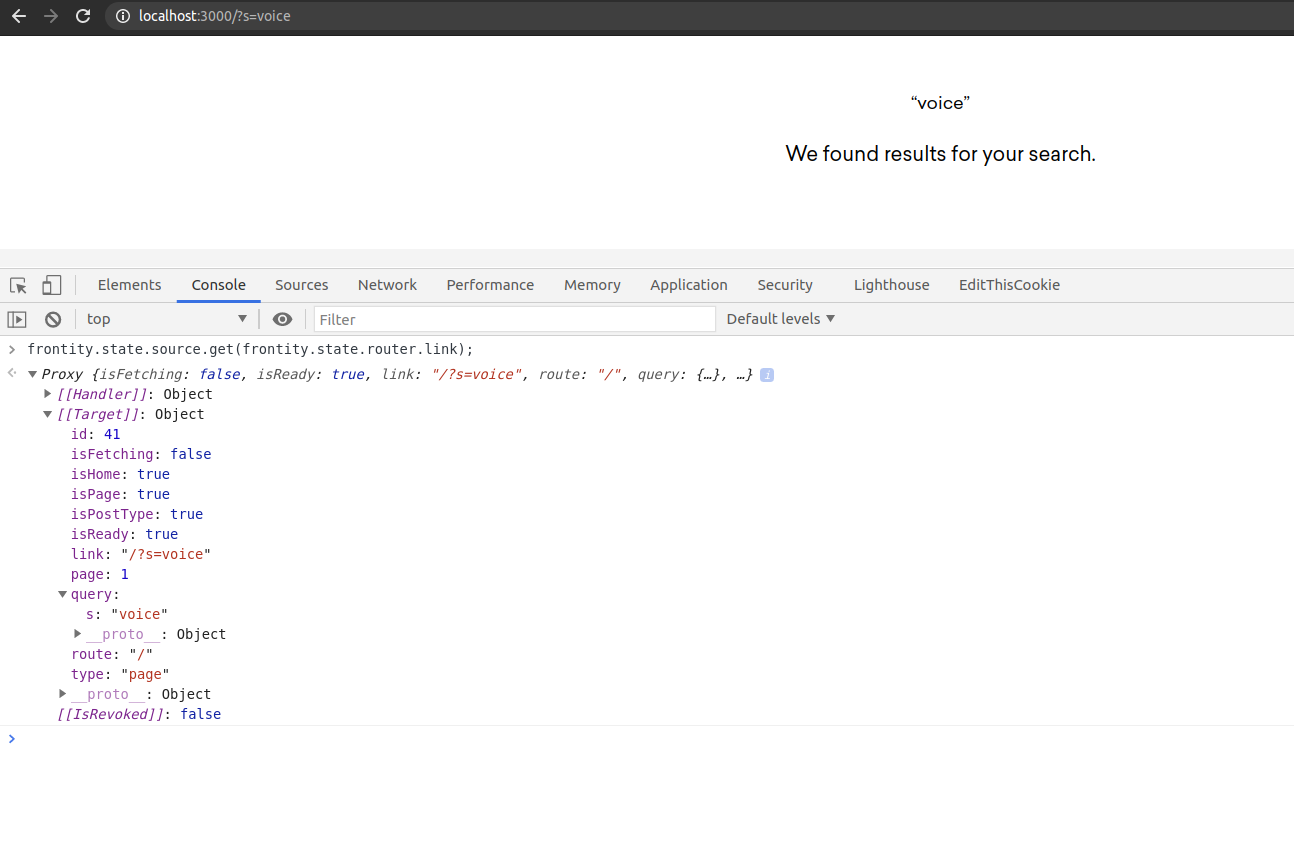
Thanks for this I was able to get the search page but now I am not getting any data in it. also data.isSearch is not setting nor any data.items set as well.
Check the image below which shows what data I have.